Independent MapQuest feature guide
MapQuest Mileage Calculator: Measure Trip Distance
MapQuest Mileage Calculator is a useful search when the distance itself is the planning question. Travelers may need one-way miles, a round-trip total, mileage between several stops, or a comparison between route choices. This independent guide explains how to define the trip, enter locations accurately, understand why mileage changes, and use the result for fuel, timing, reimbursement, or itinerary decisions. A calculator measures the route you describe; it cannot know every detour, private road, closure, or local errand. Confirm the current third-party tool experience and review the route before relying on the number. Review the MapQuest Mileage Calculator details before you choose a route.

- Measure
- One-way, round-trip, multi-stop, or detour mileage
- Improve accuracy
- Use complete addresses and the actual visit sequence
- Compare
- Distance, time, road type, and route reliability together
- Remember
- Local driving and closures can make the final total larger
What a mileage calculator is actually measuring
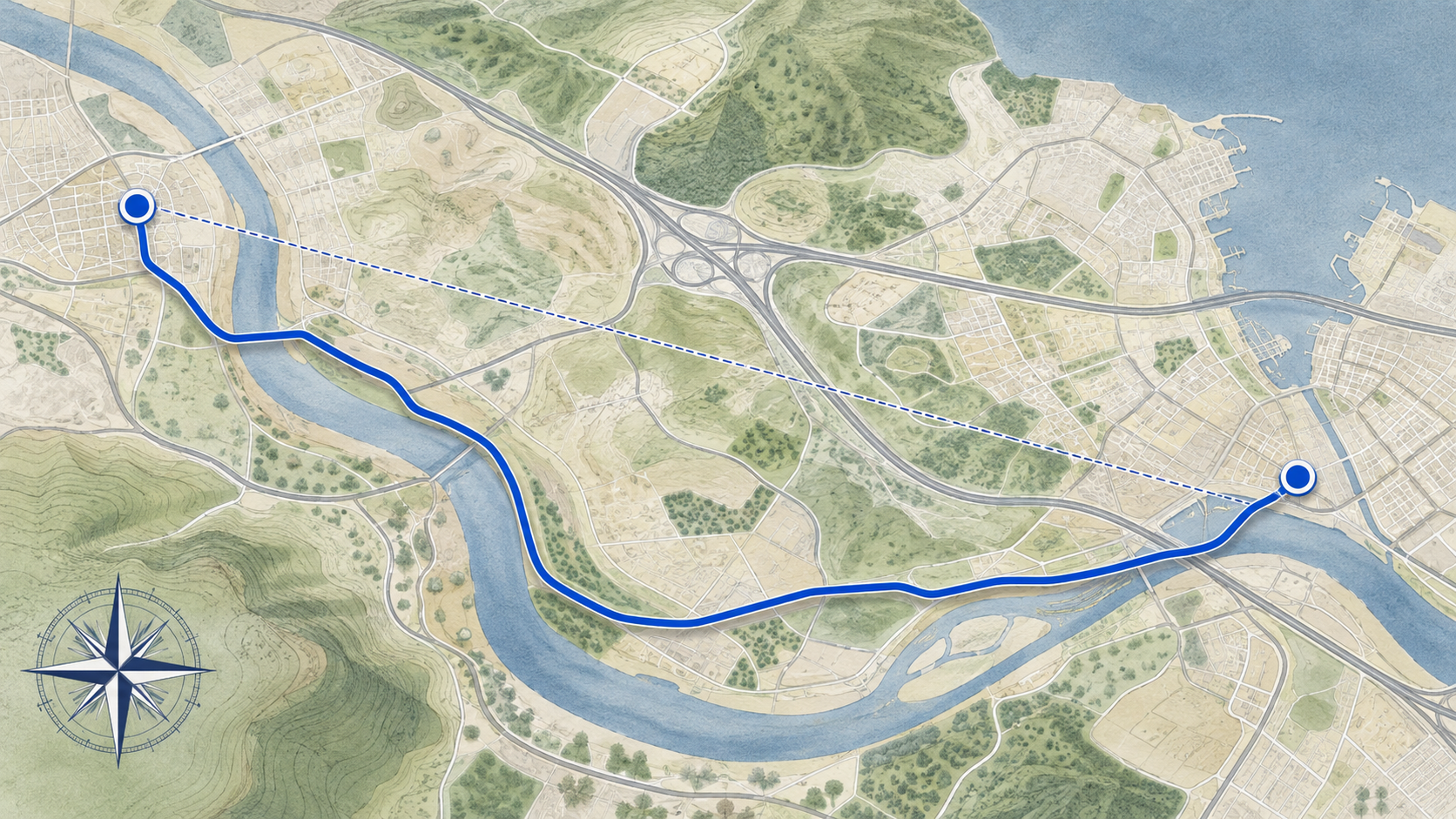
A mileage calculator estimates the distance along a selected road, trail, or route network between the locations you enter. That is different from measuring the straight-line distance between two points. The road result reflects turns, bridges, access roads, one-way systems, and the route choice selected by the service. When people ask how many miles are between two places, clarify whether they mean the shortest road distance, the distance of a specific itinerary, or the total distance they expect to drive during the day. For background, read Mileage Calculator on Wikipedia when you need context beyond this planning guide.
Define the trip before opening the calculator. A move, a sales route, a commute, and a weekend drive each count miles differently. For a round trip, specify that the return matters. For a multi-stop route, use the real order and include the return to the starting point if it is part of the plan. For an airport or campus, enter the location where the vehicle will actually arrive. An exact number for the wrong endpoints is still the wrong number.
How to get a better MapQuest Mileage Calculator result
Enter complete addresses with city, state, and ZIP information when available. Business names, parks, trailheads, and neighborhoods can have several matching locations, and a search result may place the pin at a headquarters, parking lot, or central label rather than the door you need. Review the selected points on the map before accepting the distance. If a route begins at a hotel or residence, use the driveway or public street address rather than an approximate neighborhood center. For broader route planning, visit MapQuest Driving Directions on the homepage after reviewing this MapQuest Mileage Calculator guide.
Run the route in the same mode that matches the trip. Driving miles, walking miles, and cycling miles can follow different networks, and a route that is legal for one traveler may be unsuitable for another. If you are comparing alternatives, keep the start, destination, and stop list constant. Change one route choice at a time, note the mileage and estimated time, and then evaluate the practical tradeoff. This creates a comparison you can explain instead of a collection of unrelated numbers.
One-way, round-trip, and multi-stop mileage
One-way mileage is the cleanest measure for a single transfer, but many planning decisions need the full day’s distance. Double a one-way number only when the outbound and return routes are genuinely similar. A return after an event, a different border crossing, a one-way downtown grid, or a separate pickup can make the reverse leg different. Calculate both directions when timing, fuel, reimbursement, or vehicle range depends on the total.
Multi-stop mileage should include every meaningful movement, not only the major city pairs. A route from a home to an office, then to a supplier, then to a client, and back home is a sequence of legs. If you omit the short local connections, the final total may understate the day substantially. Keep a table or saved itinerary with each leg, its purpose, and its estimated miles. That record makes it easier to update one stop without rebuilding the entire plan.
Why two route distances can differ
Distance changes when the route uses different highways, toll roads, bridges, ferries, mountain passes, or neighborhood streets. A route that is a few miles longer may be faster or more dependable, while a shorter route may include slow surface roads and more turns. Weather and construction can make a familiar corridor impractical. Compare mileage with travel time, road class, tolls, access, and the services available along the way. Distance should inform a decision, not end the decision.
The destination pin also matters. A large airport can have separate terminals and rental-car returns; a university can span multiple blocks; a warehouse may have a truck entrance far from the mailing address. If the route ends at the wrong side of the property, the displayed miles do not match the actual journey. Check venue instructions and use a precise arrival point. For a complex destination, record both the public address and the entrance or lot used by your traveler.
- Confirm the route mode and endpoints before recording mileage.
- Calculate both outbound and return legs when the trip is not symmetrical.
- Keep short local legs and errands in a multi-stop total.
- Compare distance with time, tolls, road difficulty, and services.
Using mileage for budgets, planning, and records
Mileage is a foundation for other planning calculations. Once the route total is defined, you can estimate fuel, charging stops, travel time, and maintenance exposure. Keep the distance tied to an as-of date because route networks and construction change. If a budget matters, use a range or a clearly stated contingency rather than rounding a route down to make the trip appear cheaper. A transparent estimate is easier to revise when conditions change.
If you track mileage for work or a household, separate estimated route miles from actual odometer miles. The odometer may include finding parking, personal detours, and local errands that a point-to-point calculator did not include. Save the purpose, start, destination, stop list, and date with the estimate. Do not operate a phone while driving to update a record. Capture information before departure or after parking, then reconcile it safely at the end of the journey.
How to use this MapQuest Mileage Calculator planning guide
- Decide whether you need one-way, round-trip, multi-stop, or itinerary mileage.
- Enter exact addresses and select the correct terminal, lot, building, or public entrance.
- Choose the appropriate travel mode and inspect the selected pins on the map.
- Record the distance for each meaningful leg instead of relying on a rough combined guess.
- Compare alternative routes using time, road complexity, tolls, services, and weather exposure.
- Save the date and assumptions, then update the estimate if stops, closures, or endpoints change.
Questions about MapQuest Mileage Calculator
What is the difference between route miles and straight-line distance?
Route miles follow the usable road or path network and include turns, bridges, and access roads. Straight-line distance is a geometric measurement and is usually not a realistic travel distance.
How do I calculate round-trip mileage?
Measure the outbound and return legs when they may differ. Doubling one-way mileage is only a rough shortcut when the same route and endpoints are used in both directions.
Can mileage calculators measure a route with several stops?
A current route-planning tool may support multiple stops. Enter the actual order, include local movements that matter, and review each leg so the total reflects the trip you will really take.
Why does my mileage differ from a calculator’s result?
You may have used different endpoints, a different travel mode, another route, local detours, private access roads, or updated road conditions. Compare the exact inputs and route choices before judging the difference.